I want to be an Afleet tester. What do I do?
A number of you have volunteered to do beta testing of early Afleet releases. We really appreciate it.
Usually this comes about when have been in contact about a bug or a new development. You and we agree that you will be a tester.
The process
- We: will ask you for the Google account that you used to purchase Afleet.
-
You: Identify the account you used and send us the email address.
Note
If you are not sure what account you used:
- Open Play Store
- Click your profile button (top right hand corner).
- Select the account you believe you purchased Afleet with:
- Manage apps and devices
- Manage
- Search for Afleet (try This device/ Not installed/ Other devices as appropriate).
- If you don't find Afleet, try different accounts.
-
We: will create an invitation for you to be a beta tester, and let you know when it's done.
-
You: Open the Afleet page in Play Store.
Note
Make sure you are using the Play Store account identified above.
-
You: Look for the invitation to Join the beta.
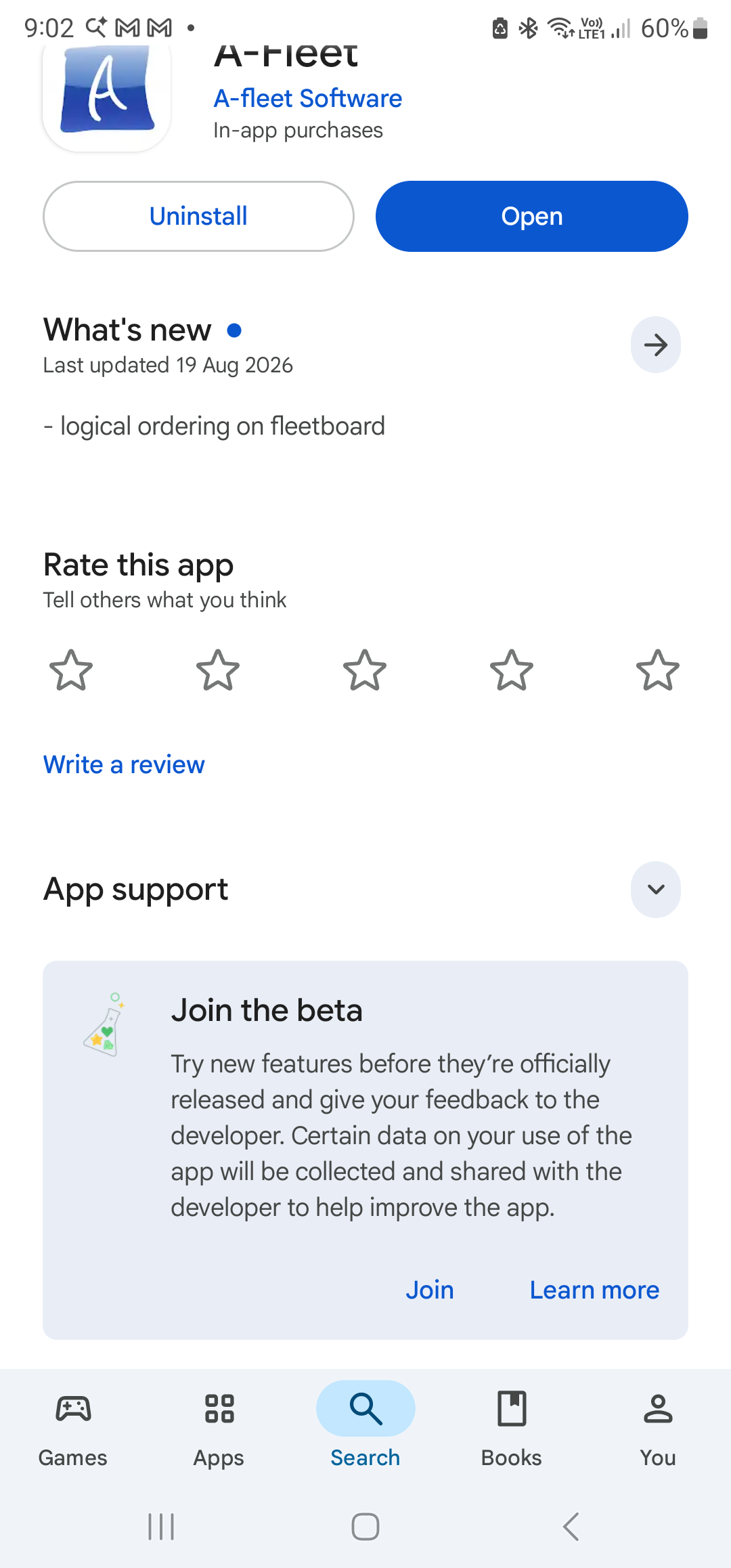
Note
The invitation can take some hours to appear.
-
You: Click Join
- You: should now receive beta updates in Play Store. Update Afleet as you normally do.